IDEA SET
IDEA SET
Make a Mini Game with OctoStudio
Make a Mini Game with OctoStudio
This learning resource offers materials to engage students in creating games about animals interacting in their natural environment. The activity invites learners to create using OctoStudio, a free creative coding app. This learning resource is co-developed between National Geographic Society and the Lifelong Kindergarten group at the MIT Media Lab.
Grades
2 - 6
Subjects
Earth Science, Biology, Ecology, Geography, Human Geography, Arts and Music

Loading ...

This activity invites learners to reflect on and model how animals interact within their natural habitats. Learners will create a mini game about animals interacting with their environment. To do that, they will be using OctoStudio, a free creative coding app from the Lifelong Kindergarten group at the MIT Media Lab. By creating interactive games, students will have the opportunity to develop empathy and understanding for animals, what the animals need to thrive, and the challenges they face. Below is an overview of the activity, and you can also access the detailed Educator Guide.
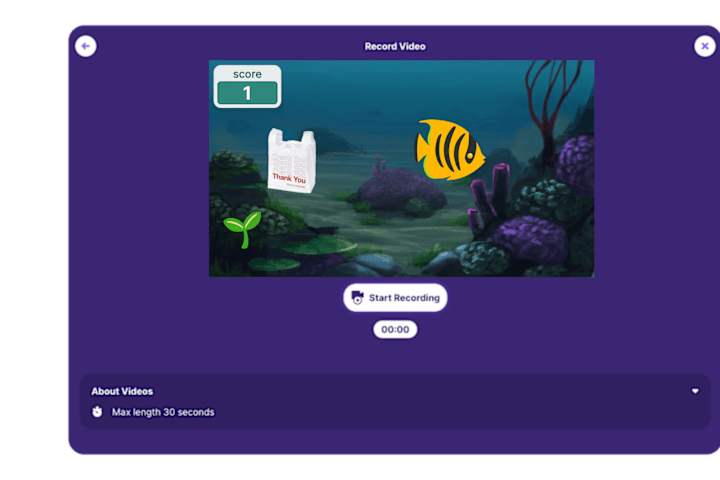
With OctoStudio, learners can create projects by first choosing an image of an animal and a photo or drawing as a backdrop. They can use coding blocks to make their projects interactive and turn it into a game. By designing and coding their own games, learners engage in the process of problem solving and iterating to improve their projects.
This activity was inspired by National Geographic Explorer Gibbs Kuguru, a shark researcher who develops new ways to study sharks and understand how they respond to their environment. His work helps people gain a better understanding of sharks, as well as supports communities in seeing these creatures in a positive way. Like Gibbs, learners can build their Explorer Mindset attributes, such as empathy and problem solving, by documenting and modeling how animals interact with their habitat. By creating mini games in this activity, learners can further their ability to communicate their ideas and understanding of nature, all while building valuable coding and digital literacy skills.
Guiding Questions:
- What is an animal that you care about and want to feature in a game? Where does it live?
- What does this animal seek out in its environment (such as food or shelter)?
- What challenges does it face (such as predators or pollution)?
- What do you want others to understand about this animal by playing your game?
When to Use the Activity:
This activity invites young people to create games about animals interacting in their natural environment. The activity can work well as a way to engage in problem solving and creating interactive models in a general science or computing class.
Time: Approximately 60 minutes, depending on available time. This activity can be extended to more than one class period to provide more time for learners to create, share, and reflect.
Learning Objectives:
Learners will:
- Develop problem-solving skills by creating a tilt-based mini game using OctoStudio to share the habitats and characteristics of creatures in the natural world
- Explore and share ideas about the natural world and its diverse creatures with empathy
This learning resource is a part of a larger suite of tools focused on creative coding, including the Explore Your World with OctoStudio resource featuring National Geographic Explorer Niharika Rajput.
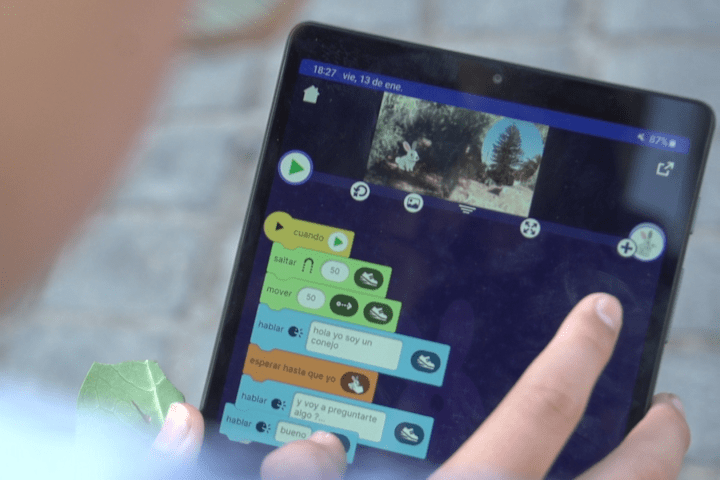
Educator Guide and Slides
The educator guide suggests how you can facilitate the Make a Mini Game with Octostudio activity. The guide includes an overview of the activity and other helpful materials for facilitating this activity. You can use the workshop slides to help guide and prompt students through the activity. Both the guide and slides can be customized for your learners and local context. .
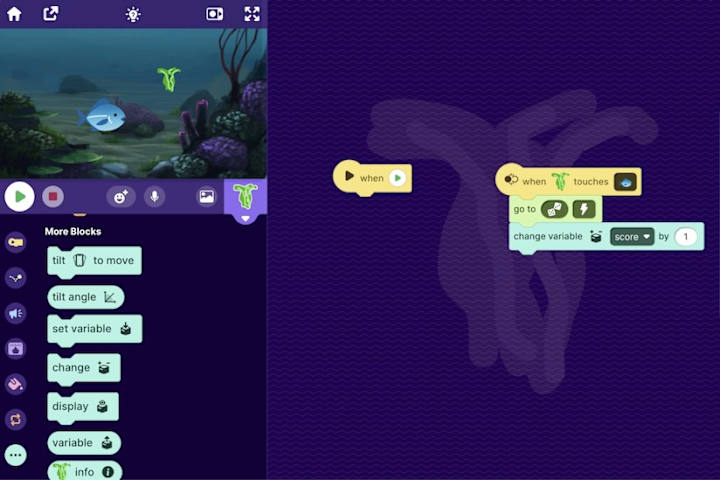
Make a Mini Game with OctoStudio Video
This short video provides an inviting introduction to the Make a Mini Game activity. It shows learners how they can get started creating projects about animals and their environment using the OctoStudio app.
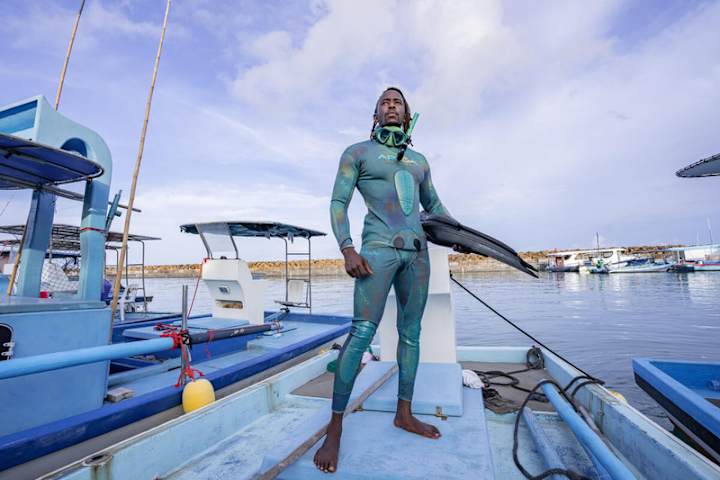
National Geographic Explorer Profile
National Geographic Explorer Gibbs Kuguru is a shark researcher who studies sharks in their natural habitat. Gibbs uses a variety of innovative technologies to study shark DNA. He uses his research to help people better understand and develop empathy for sharks. Gibbs’ work helps elevate the idea that sharks are curious creatures who share many of the same qualities that humans have. In this activity, learners can learn and be inspired by Gibbs' story, seeing how he uses problem solving and empathy to learn more about sharks and the growing impact of humans on their well-being and environment.
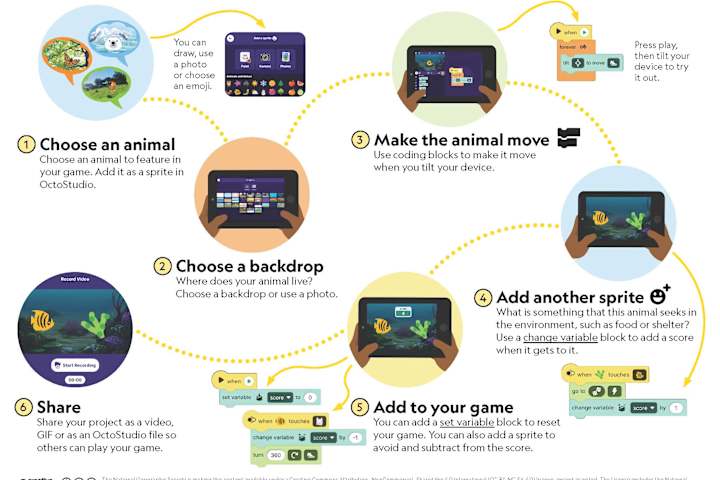
Student Activity Guide and Coding Cards
The student activity guide is designed to help support learners to engage in the activity and create projects with OctoStudio while working at their own pace and within their specific environments. To spark inspiration, share the coding cards with learners to ignite their creative problem-solving in OctoStudio.
Sharing Your Projects
Now it’s time to share your creations! Encourage learners to reflect and share their works in progress using OctoStudio’s share feature. Additionally, you’re invited to create your own Padlet as a way for your learners to share their projects with each other or their friends. Here is an example created by the Lifelong Kindergarten group, featuring creations related to this activity. You might find it helpful to open and explore the project files, as they can be helpful for learners who want new ideas or as examples to remix.
Credits
Media Credits
The audio, illustrations, photos, and videos are credited beneath the media asset, except for promotional images, which generally link to another page that contains the media credit. The Rights Holder for media is the person or group credited.
Writers
Editors
Producer
Content Design
Photo Researcher
Reviewer
Last Updated
June 25, 2026
User Permissions
For information on user permissions, please read our Terms of Service. If you have questions about how to cite anything on our website in your project or classroom presentation, please contact your teacher. They will best know the preferred format. When you reach out to them, you will need the page title, URL, and the date you accessed the resource.
Media
If a media asset is downloadable, a download button appears in the corner of the media viewer. If no button appears, you cannot download or save the media.
Text
Text on this page is printable and can be used according to our Terms of Service.
Interactives
Any interactives on this page can only be played while you are visiting our website. You cannot download interactives.